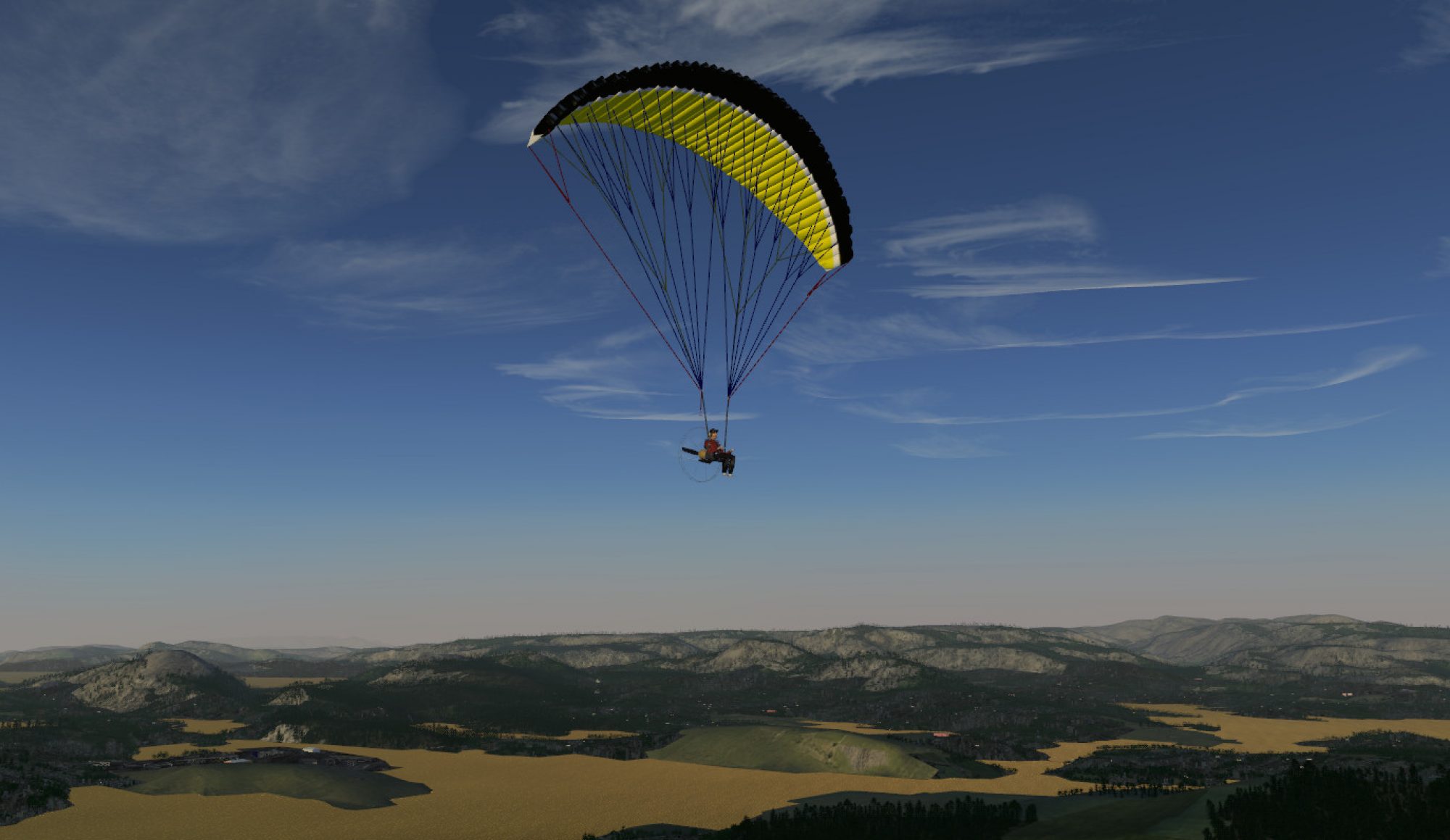
A preview of novel features for the next release

Flightgear is constantly under development, and the current development version (2.11) contains already a number of interesting features beyond what 2.10 could do – so here is some (incomplete) list of what to expect from the next release:

Novel water effects

As part of the Atmospheric Light Scattering rendering scheme, some novel features have been added to the water shader:

Subtle variations in sea color and surface reflectivity are rendered at high quality, which together with slighly patchy fog improves the visual impression significantly. In addition, an experimental effect generating surf at some coastlines is under active development (coast of Lanai, Hawaii from the EC-135 cockpit).

The environment control allows to a drift ice overlay effect to render winter scenes in cold climate (coastline near Juneau, Alaska).

Improved usability

Flightgear becomes better accessible for the novel user:

A new tooltip system has been added, identifying knobs, gauges and levers for the new user and also indicating their value, thus eliminating the need to zoom to read badly visible instruments. On-screen messages are rendered in a new gnome-like semi-transparent window style. These changes are part of a larger restructuring of the user interface, which standardizes the interaction with cockpit clickspots and adds a more intuitive view mode by right-click/drag as option.

Lighting

The Rembrandt rendering does shadows best, but this does not mean other frameworks can do nothing:

The balance of direct and indirect light has been re-adjusted to simulate the self-shading of terrain better. In clear weather, shaded surface are now rendered much darker, leading to much improved visuals in low morning or afternoon light (the B-1900D over the French Alps near Grenoble).

Air-air refueling

Fans of realistic air-air refueling will be happy:

The air to air refueling system has been much improved. It now contains a menu to select tanker type, speed and contact radius. Two new tanker planes have been added, and the contact points are now correctly specified, allowing for a much more realistic aerial refueling experience.

Ground texture resolution

Landing somewhere off an airport was never before this nice:

A high resolution shader effect has been added to the procedural terrain rendering of the Atmospheric Light Scattering framework, which renders cm-scale detail resolution. This allows for a much improved low level flight experience and more interesting helicopter operations in the terrain, as there are now visual markers available to gauge distance to the terrain (the EC-135 landing on Lanai shrubland).

Weather

The weather system has received a major upgrade. The grouping of sparse clouds into patterns is now much more realistic, replacing simple clusters by visually more interesting undulatus or wavy patterns.

As part of these changes, the rendering of low visibility scenes in Atmospheric Light Scattering has also been made more consistent.

EC-135

The next version of a well-known aircraft arrives:

The Eurocopter EC-135 is currently undergoing a major overhaul. The FDM is completely revised, leading to a more stable experience in level flight, and the cockpit is done in high-resolution photorealistic texturing (over the French Alps, close to Grenoble).

A large selection of different models is provided, all with different liveries, equipment and slightly altered FDM (over the French Alps, close to Grenoble).

Canvas

The environment becomes more interactive:

Canvas is a technology to render 2-d information into the scene – it can be used for complicated instruments or a HUD. However, it has now been extended to be applicable to scenery objects as well – this allows for novel features such as airliner docking guidance systems as shown here.

Seasonal effects

Now you don’t only have to fly in summer or winter:

As part of a restructured tree shader, deciduous trees now shed their foliage if they are above the snowline, thus they adapt to the shader-drawn snow effects better. In addition, Atmospheric Light Scattering includes now an experimental season effect (mostly tested for Europe) which allows to simulate the autumn coloring of deciduous forests and pastures.

And many improvements more…

And that’s not all:

* regional textures for Middle East, the UK, Greenland, Indonesia, the arctic sea and Madagascar have been added
* improved aircraft checklists
* better interface between Basic Weather and Atmospheric Light Scattering rendering
* tree movement in the wind
* novel animations, allowing e.g. for more realistic rendering of complex gear motion

*…

Stay tuned as we fly towards the next release!

FlightGear v2.10 Released

fgfs-screen-070

February 17, 2013 – FlightGear v2.10 is Released!

The FlightGear development team is happy to announce the v2.10 release of FlightGear, the free, open-source flight simulator. This new version contains many exciting new features, enhancements and bugfixes. Highlights in this release include improved usability, better terrain rendering and a fully scriptable 2D rendering system.

A list of major changes can be found at: http://wiki.flightgear.org/Changelog_2.10.

Oscar B., one of our developers made a movie to highlight some of the new features in v2.10

LukeaFG has also made an excellent promo video showing some of the new v2.10 features.

Founded in 1997, FlightGear is developed by a worldwide group of volunteers, brought together by a shared ambition to create the most realistic flight simulator possible that is free to use, modify and distribute. FlightGear is used all over the world by desktop flight simulator enthusiasts, for research in universities and for interactive exhibits in museums.

FlightGear features more than 400 aircraft, a worldwide scenery database, a multi-player environment, detailed sky modelling, a flexible and open aircraft modelling system, varied networking options, multiple display support, a powerful scripting language and an open architecture. Best of all, being open-source, the simulator is owned by the community and everyone is encouraged to contribute.

Download FlightGear v2.10 for free from FlightGear.org.

FlightGear – Fly Free!

fgfs-screen-040

FlightGear v2.10 Release Candidates

February, 17, 2013: FlightGear v2.10 is official released.  Please proceed to the download page and download the full official release!  All the files shown here are old news.  Please move along, nothing more to see here. :-)

This is the place to find the v2.10.0 release candidates as they become available.  We would really love for everyone to download these “test” releases and give them a try.  The target date for the official FlightGear v2.10.0 release is February 17.

Download FlightGear v2.10 Release Candidates:

(Release candidates can be updated frequently and the mirror system can take some time to update, so if a download link doesn’t work, please try another mirror.  If none of the mirrors work, try refreshing this page to get a new set of mirror suggestions.  Or try again in an hour or two.)

Download v2.10 Aircraft:

  • Download the newest versions of all the aircraft at the v2.10 Aircraft Download Page.  These are also have “release candidate” status and could be subject to changes before the official release.

Download v2.10 Scenery:

  • The FlightGear scenery is continuously being improved.  The newest available scenery works with both v2.8 and v2.10.  We update the scenery packages with any new models or changes every few weeks.  Get the latest scenery through the usual means from the Scenery Download Page.

Source Code

What’s New?

Comments or Questions?

  • If you have comments or questions regarding the release candidates, please go to the FlightGear forum.

Bugs?

Fly Hawaii!

Author: Thorsten Renk

Destination Hawaii

One of the first places available as hires scenery in Flightgear, and also among the first places to receive a dedicated regional texture scheme, the island chain of Hawaii is a very spectacular destination in the Flightgear world. It offers a compelling variety of terrain from dry and barren lava plains to lush tropical rainforest, from the gentle fertile plains to rugged mountains and steep cliffs towering over the sea and from the densely populated island of Oahu to uninhabited Kaho’olawe.

Flying Hawaii can be easy or challenging – there are busy international airports and lone airstrips in remote locations, the altitude of the terrain ranges from sea level all the way up to Mauna Kea towering at 13,796 ft and steep gorges cut into the lava cliffs allow for tricky helicopter excursions.

Currently the scenery is only available via TerraSync and not by direct download from the website, presumably this will change with the next release of world scenery. While the release preparations for Flightgear 2.10 are underway, this article provides a first glimpse into some stunning new features which are currently being developed for the 3.0 release in summer 2013 – high resolution terrain texturing for closeup scenes.

Aeronautical charts for the whole of Hawaii are available online at skyvector.com, see for instance here for all charts relevant for Honolulu International Airport.

Hawaii ‘Big Island’

With a total area of 4,028 square miles, Hawaii is by far the biggest island of the archipelago, exceeding the size of all other islands taken together. It is also the youngest of all islands, dominated by the gentle rising cones of the five massive shield volcanoes Kohala, Mauna Kea, Hualalai, Mauna Loa and Kilauea, with the last two still being active.

The central part of the island is occupied by the twin cones of Mauna Kea (foreground) and Mauna Loa (background) which both reach above 13,000 ft and consists of extended lava fields, while the coastal region is somewhat more fertile.

The first destination reached however when arriving from the Honolulu region is Upolu Point, a region of eroded volcanic rock and spectacular gorges.

A flight to Hilo, the main city of the island, can pass between the two major shield volcanoes and requires a climb from sea level to more than 7,000 ft, which requires some adjustment of the mixture in a single-engine propeller plane. The climb to the pass is mainly above arid grasslands.

At higher altitudes, the spectacular lava fields of Mauna Loa dominate the scene.

Here is yet another view on Mauna Kea from the pass – often the volcanoes reach above the cloud layer.

Seen from the pass, Hilo seems close, but the slope of the terrain is so gentle that it is very easy to underestimate the true distance. Towards the coast, forests and fertile ground dominate the scene again.

Maui

Maui is perhaps the island with the most diverse terrain. Its eastern part is dominated by the mighty cone of Haleakala, reaching just above 10,000 ft. The middle part is a fertile valley, whereas the western part features the rugged West Maui Mountains, which are considerably lower than Haleakala, but certainly make up for that with steep cliffs and deeply cut valleys.

Since the prevailing winds come from the northern side, air rises on the flanks of Haleakala, leading to fertile and overgrown northern slopes, whereas the southern slopes of Haleakala look completely different and show rather different weather.

Flightgear’s Advanced Weather is actually capable of simulating the resulting distribution of clouds from this effect – in fact, Haleakala has been an inportant test case in the development of the weather system.

Closely grouped in the vicinity of Maui are also the islands Lanai, Molokai and Kaho’olawe, easy to see in clear weather, thus Maui is an ideal starting point for island-hopping adventures.

Approaching from east, the scenery is dominated by Haleakala, here the more arid southern slopes are seen.

Maui is substantially older than Hawaii island, and so the volcano has started to erode quite significantly when compared to Mauna Loa – as a result, the fertile land extends much higher up. Haleakala crater however remains a rather impressive sight.

When approaching from the west, the cliffs and gorges of the West Maui Mountains are the first feature to become apparent.

On a clear day, the surrounding islands (here Molokai in the background) can clearly be seen:

The West Maui Mountains themselves contain quite some impressive sights – it is especially worthwhile to explore the various canyons and cliffs with a helicopter.

Yet another flyby view from the F-14b RIO position on the West Maui Mountains:

Oahu

Going west, the geological age of the island chain increases, and thus terrain features become more gentle as the volcanic rock erodes and changes into fertile soil. The island of Oahu is where the majority of the Hawaiian population lives and where the capital Honolulu is located. This is also where Honolulu International Airport, the most busy of all Hawaiian airports is found, and the home of famous sights as Pearl Harbour. Honolulu was envisioned as an emergency landing site for the space shuttle, and in fact the ‘reef runway’ (shared, as the rest of the airfield, with Hickam Air Force Base) used to be designated for this purpose.

Oahu stretches between two mountain ridges, which rise up to an elevation of just over 4000 ft. Here is a view of the island from the west.

Central Oahu is flat and largely in agricultural use. In the background, Honolulu and Pearl Harbour can be seen.

One of the most scenic spots on the island is Kailua beach on the north-eastern coast, offering a spectacular constrast of steep cliffs, long beaches and lush tropical vegetation.

The hires ground texturing scheme for Oahu has been carefully designed to display the contrast between lush vegetation and the red volcanic soil.

The other islands – Lanai, Molokai, Kauai, Kaho’Olawe and Niihau

Lanai is a fairly arid and sparsely populated island south-west of Maui with a single airport. It is dominated by a single mountain ridge reaching just above 3000 ft, with some valleys carved by erosion.

Molokai is, like Maui, a fairly diverse island – its eastern part consists of steep and towering cliffs whereas its western part is mostly flat and gentle landscape. Kalaupapa airport (PHLU) is built on a peninsula just beneath the cliff faces.

Kaho’Olawe is a small, uninhabited island. It has no airport and can only be reached by helicopter.

Its surface is mostly composed of arid stretches and lava fields.

Kauai, the garden island, is one of the nicest bits of scenery in the Hawaiian islands. It features the spectacular Na’Pali coast and Waimea Canyon.

Sadly, the scenery in Flightgear is currently a bit of a let-down – the terrain shows some errors in Kauai, and neither the Na’Pali coast nor Waimea come anywhere close to the originals.

Here is a scene close to Hanalei:

Finally, the island of Niihau is not part of the high resolution scenery package, and thus not really worth visiting.

Some Hawaiian airports

Hilo International Airport (PHTO) is located on the eastern side of Hawaii island at the coast – in a vert scenic location close to the town of Hilo. It is one of the two major airports of the archipelago and with a runway length of 9,800 ft large enough to admit essentially all airplanes.

Kona International Airport (PHKO) is located in the lava fields at the western coast of Hawaii island. Three million pounds of dynamite have been used to flatten the lava flow on which it was constructed. It offers a single 11,000 ft runway which is second in length only to Honolulu International Airport.

Waimea-Kohala Airport (PHMU) is a not very busy public airfield at 2,600 ft altitude in the western drylands of Hawaii island. It offers a single 5,197 ft runway.

Princeville: (HI01) is a small private airport close to Hanalei on the garden island Kauai. It is only suitable for smaller aircraft.

Lihue: (PHLI) is the main airport of Kauai. It has mainly connections to Honolulu, but also some long-distance traffic to the US mainland.

12 Days of Flight Tips (Season 2)

Last year, Oscar (youtube user: osjcag) created a series of short “howto” movies called the 12 Days of FlightGear Tips.  This year he is producing Season #2!  Each day he releases a new tip in honor of the twelve days of Christmas. Make sure you check back each day for the new tip!  Even “seasoned” FlightGear pilots may pick up a new trick or two.  Enjoy!

Web Site Updates

February 13, 2013: Updated Scenery Download Path

The FlightGear scenery downloads has been updated to v2.10 in preparation for the 17 Feb v2.10 release.  The scenery content does not follow the same release schedule and has updates and improvements every few days.  Thus this is more of a name change formality, and the “v2.10″ scenery will work fine with v2.8 and probably most v2.x versions of FlightGear.

January 12, 2013: New Wiki Server

The FlightGear Wiki (http://wiki.flightgear.org) has been moved from a shared hosting server to a new dedicated virtual private host.  The FlightGear wiki is *very* popular and generates a lot of traffic and server load so hopefully this will improve the performance and reliability of our wiki and at the same time help all the other services on the old shared hosting server.

The new wiki host has been donated to the FlightGear project by DigitalOcean. If you are searching for a good hosting service among an ocean of possible options, they are good guys.

December 18, 2012: WordPress 3.5 & New Theme

The FlightGear web site has been upgraded to the newest version of wordpress (3.5) and I am experimenting with a new theme.  We can always return to the old them if we decide we like that better, or we can more forward too.  The new theme has some better support for mobile devices.

December 29 update: when switching to the new 2012 theme, we ended up with comments enabled on all content pages.  This was unintentional.  The page comments were mostly support requests or the odd snarky comment.  I have removed the comments area from regular content pages, but comments are still allowed (and encouraged) for “post” pages.  However, comments will be filtered carefully for topic and usefulness.  Do they expand or clarify the conversation of the post topic?  Support questions will still be referred to the FlightGear forum.  Random positive/negative statements (like “I love flightgear” or “I hate flightgear” will generally be ignored.)  English is preferred for post comments, but exceptions have been made and probably will be made in the future.

October 24, 2012: Scenery Download Page updated

The World Scenery Download page is updated to SVN version 20579.  It may take a day or so for the updated files to flush through the mirror system.

September 7, 2012: WordPress 3.4.2

Upgraded to wordpress-3.4.2.

August 20, 2012: Updated Gallery

Featuring the winning entries of the 15th anniversary screenshot contest, we have added a new screenshot gallery to go along with the v2.8.0 release!

August 17, 2012: Version 2.8.0 Released

Yeah!  Look on the front page (or the recent posts list in the side bar) to read the official release announcement.  Better graphics, new aircraft, new visual effects, tons of new things to explore!

July 30, 2012: v2.8.0 Release Candidate “RC4″ Available.

If you are interested in trying the next release of FlightGear ahead of time (and helping us sniff out any remaining bugs or packaging issues) then please take a look for download links in the release candidate section towards the bottom main download page.  Also notice that updated v2.8.0 aircraft are also available for download along with the pre-release.

June 28, 2012: WordPress 3.4.1

The FlightGear web site software has been updated to WordPress v3.4.1.

February 28, 2012: Version 2.6.0 Updates

Both Mac OS X and Windows have had small tweaks to follow up the v2.6 release.  For Mac OS X there is “r319″ version of the 2.6.0 dmg which fixes a couple problems some Mac users were seeing.  For Windows there is a “Setup FlightGear 2.6.0.1.exe” which fixes one small 32bit vs. 64bit dll packaging problem some 64bit users were seeing.

February 17, 2012: Version 2.6.0 Released

There has been a large number of changes and updates to the download and information pages as part of the v2.6.0 roll-out.

Jan 29, 2012: New v2.6.0 Release Candidate Available

A complete test release for the upcoming FlightGear 2.6.0 version is available to try.  Follow this link to the FlightGear v2.6.0 Release Candidate page.

Jan 6, 2012: New Developer Snapshot Available

A new developer snapshot (v20120105) is available for download and testing.  This is a way to keep up with all the coolest new features and experimentation without needing to compile the code yourself from scratch.  You can find the download link on the main download page.

Dec 28, 2011: Contributors Section added

A new section has been added to the FlightGear web site: Contributors.  We plan to periodical add profiles of different contributors to this section.  If you’d like to be included here, or have corrections or updates to existing entries, please contact the web master!

Sep 27, 2011: Scenery Download Page added

A World Scenery Download page has finally been added to the new web site.  You can find the page in the main site menu.  The graphical download page has also been updated.  All the links should now point to the v2.4.0 version of the scenery (this corresponds to svn version 16700 from the terrascenery archives.)  Update: a small link error has been fixed so the download map should be working again.  Thanks to those who reported it!

Sep 27, 2011: New wiki and liveries server

The server hosting wiki.flightgear.org and liveries.flightgear.org has been upgraded and the content has been migrated over.  There shouldn’t be any problems, but of course if you spot something odd, please let us know.

Terrain Texturing

Author: Thorsten Renk

Regional and procedural texturing

It’s perhaps not a big secret that the default Flightgear World Scenery does not look stunning everywhere in the world. Yet, with regional texturing in Flightgear 2.8 and easy to configure procedural texturing in the current development version 2.9, two techniques have arrived which have the potential to rapidly change this. But precisely what are these techniques?

Short of addons such as fgphotoscenery, Flightgear has never used aerial photographs for texturing. Instead, the terrain is described in terms of landclasses, and each landclass has an associated texture. Up to 2.8, these texture definitions were the same all over the world, Yet in reality, this is not true – cities in the US for instance tend to be organized in rectangular grid patterns which are completely uncommon in Europe, Irrigated crops in Asia are most likely rice terraces, whereas rice terraces are not a common sight in the US Mid-West. Regional texturing allows to define texturing schemes for specified geographical regions and allow to overcome these problems – European cities can now defined to look different from US cities.

Procedural texturing is an even more powerful technique. In the default rendering scheme, the terrain of a certain landclass is painted with a pre-defined texture, then the light is computed and this is what we see on the screen. Procedural texturing does not use a pre-defined texture, but computes the texture as part of the rendering process. This powerful technique allows textures to be sensitive to the environment and hence simulate wet or dusty terrain, to create the actual texture as a mixure of various overlay textures which change dependent on how steep the terrain is or to add snow cover with any density on the fly. Procedural texturing has been part of the shader effects in Flightgear 2.8, for instance in terms of the wind-dependent wave patterns of water, or the snowline settings, but in 2.9 it gained many additional options and most important is configurable without any knowledge of OpenGL rendering by just a few lines of xml code.

Procedural texturing is best illustrated pictorially – here is a scene (China Lake Naval Air Weapons Station (KNID), California) in default texturing. The visible terrain is mostly shrubland, and there is a pronounced tiling effect – the texture pattern is seen to repeat in the scene, leading to regular structures which become even more prominent from higher altitude.

The same scene in procedural texturing looks much more appealing – the random mixture of different base texture removes the tiling for good, and a thin dust effect creates the impression of dry terrain as appropriate for the near-desert location.

Unfortunately, procedural texturing does not come for free – computing textures on the fly creates a significant drain on framerate, thus procedural texturing is only suitable for modern graphics cards.

The structure of Flightgear Scenery

The combination of regional and procedural texturing is extremely powerful and allows to make dramatic improvements to the world scenery at the simple expense of few lines of xml code. Let’s look at an example location:

Canaima National Park in Venezuela is one of the world’s most fascinating mountain regions with table-mountains like Auyantepui towering over jungle terrain, featuring the world’s tallest waterfall, Angel Falls (3,287 ft). The scenery offers steep near-vertical cliffs hundreds of meters high, rugged and inaccessible plateaus atop the table mountains and lush tropical forest with winding reivers at their feet. The best place to access the park is Canaima airport (SVCN).

Yet, in the Flightgear default rendering scheme, Auyantepui is shown like this:

There is… something wrong here. In order to understand what goes wrong, let’s take a short look at the structure of the Flightgear scenery.

The basic ingredient of the scenery is the terrain mesh, containing the elevation data for all mesh points and the information what landclass the terrain between grid points is. The terrain mesh is created by a tool called TerraGear from public geodata. The output of this stage contains the altitude information of the terrain, and for instance the information that the terrain represents tropical forest (the so-called ‘landclass’).

Upon loading the terrain once it is used by Flightgear, the landclass is associated with a texture. At the same time, random objects such as buildings or trees are created and placed upon the terrain mesh where appropriate. Thus, the tropical forest landclass would at this step be associated with a forest texture and be populated with a large number of trees. At this stage, also shader effects are associated with a particular landclass, for instance water receives a reflection effect, whereas urban terrain may receive the urban shader effect.

In the last step, static (unique and shared) objects are added to the scene. These are objects which appear always at a given location, for instance airport terminals or special landmarks, and they are found in the Flightgear Scenery Database.

Armed with this knowledge, let’s analyze the above scene to find out what goes wrong: We can see that large parts of the table mountain get an agricultural texture. Visiting the scene with the ufo and using ctrl + alt + click (only in 2.9) on the offending terrain reveals that the mesh is here classified as ‘DryCrop’. This isn’t completely unreasonable, as the top of the table mountain is a rather barren grassland – but DryCrop becomes automatically associated with Europen-style agriculture textures – which look just plain silly in a place which in reality is utterly inaccessible, despite the valiant effort of the shader effect to change the agriculture to brown earth on steep slopes. Similarly, the nearby tropical forest is classified as ‘EvergreenForest’ (which is technically correct) – but EvergreenForest is associated with needle forest textures and needle trees.

Editing scenery texturing

There are various possibilities how this could be addressed. For instance, using TerraGear the landclasses in the scenery could be changed to something closer to reality. But to do this requires some learning, TerraGear is not a trivial tool. In this case, it is also unnecessary: The basic elevation mesh is in good order, the landclasses are not unreasonable, just the way textures and random objects are assigned to them is not working, and thus we need to change this.

The mapping of landclasses to textures and various other properties is controlled by a file called materials.xml. The regionalized version of it is found under $FGRoot/Materials/regions/materials.xml. In this file, for each landclass, a block of definitions exists. The idea is then to just copy the block for ‘DryCrop’ and edit the copy to contain an alternative definition valid for a particular geographical region, then change the texture to something more suitable. Plenty of nice textures already are in $FGRoot/Textures/Terrain/ and $FGRoot/Textures.high/Terrain/, so usually we don’t even need a new texture. While we’re at it, we might as well add two more lines to the etxture declaration specifying the overlay texture for procedural texturing. And that’s all it takes – next is EvergreenForest – we repeat the procedure and in addition change the tree texture from evergreen needle trees to tropical trees.

After just about an hour of editing materials.xml (the whole procedure is described in detail here), Canaima National Park looks like this:

Much better – isn’t it? Now all that’s missing is Angel Falls – we’re going to need a static model for this. The Particle System of Flightgear is going to be our friend here…

Canaima Sightseeing

After adding the model of Angel Falls using the ufo, Canaima National Park is ready for a sightseeing Flight (Flightgear 2.9 users can already enjoy it like this!) – once the landclass assignment is okay, procedural texturing takes care of the rest:

Steep cliffs and sheer drops flying over Auyantepui enroute to Angel Falls:

Table mountain tops reaching above the clouds:

Angel Falls seen from high altitude:

The barren top plateau of Auyantepui:

Tropical rainforest on return to Canaima airport:

Don’t wait for someone else to fix the terrain you want to explore – it’s easy, the tools are there and in many cases it’s more work to create a single model of a building than to make terrain texturing in a vast region look good!

FlightGear v2.8.0 Released

scenery01


August 17, 2012 – FlightGear v2.8.0 is Released

The FlightGear development team is happy to announce the v2.8.0 release of FlightGear, the free, open-source flight simulator. This new version contains many exciting new features, enhancements and bugfixes.

V2.8.0 includes improvements making FlightGear world more realistic than ever before.  Placement of random buildings and trees match the underlying terrain texture, and urban areas now have denser random buildings.  Textures can be region specific, and users can select between summer and winter textures in-sim.  An improved atmospheric scattering and terrain haze model means the lighting of the terrain is more realistic.  Finally, a new automated system is now available for scenery submissions that automatically get rolled into the scenery distribution to be enjoyed by everyone.

A very exciting new addition is “Project Rembrandt”.  This is still considered experimental and not enabled by default.  This enables real-time shadows, and support for multiple light sources such as landing lights.  Even rotating beacons illuminate the surroundings correctly.

Founded in 1997, FlightGear celebrated the 15th anniversary of it’s first official release in July.  FlightGear is developed by a worldwide group of volunteers, brought together by a shared ambition to create the most realistic flight simulator possible that is free to use, modify and distribute. FlightGear is used all over the world by desktop flight simulator enthusiasts, for University research and education, for a variety of aerospace engineering and visualization work in industry, and even for interactive exhibits in museums.

FlightGear features more than 400 aircraft, a worldwide seamless scenery database, a multi-player environment, detailed sky modelling, a flexible and open aircraft modelling system, varied networking options, multiple display support, a powerful scripting language, and an open architecture. Best of all, being open-source, the simulator is owned by the community and everyone is encouraged to contribute.

Start downloading FlightGear v2.8.0 for free from http://www.flightgear.org

FlightGear – Fly Free!

magic_moment02


Some of the major changes include:

AI Traffic

  • Improved aircraft models and textures.

Flight dynamics

  • FlightGear has been synced with the JSBSim project.

Environment

  • Region-specific terrain textures are used for Europe and Hawaii. Now towns in Europe look different from towns in the USA.
  • Cities and towns now look more populated due to random 3D buildings, complete with lighting at night.
  • Scenery looks more realistic due to improved placement of random objects, buildings and trees.
  • Airport signs are now rendered in 3D, with support for double-sided signs. Full apt.dat 850 syntax is supported.
  • You can now select between summer and winter scenery in-sim.

Instruments & HUDs

  • A new flexible, 2D rendering system designed for complex instruments such as CDUs, MFDs, EICAS, HUDs and other glass cockpit interfaces. Canvas allows aircraft designers to easily build complex instruments without needing specialized C++ code.

Interface

  • Support for translation of the main menu into languages other than English.
  • A Nasal API is available allowing access to Navigation and route-manager data.

Highlighted new and improved aircraft

Project infrastructure

  • Various improvements to our scenery database make it easier than ever to add, delete or update objects to the FlightGear world.
  • The new aircraft download page allows you to easily find quality aircraft, by filtering on status indications.

Visual effects

  • Improved simulation of atmospheric light scattering with terrain haze.
  • An experimental renderer, named after the famous painter Rembrandt, is included for testing purposes. The Rembrandt rendered supports multiple light sources (landing lights, instrument lights), real-time shadows and ambient occlusion across aircraft and scenery for a much more realistic visual experience.

Other

  • Additional joysticks and rudder pedals are supported out-of-the-box:
    • InterLink Elite
    • Micorosft Xbox 360 Controller
    • Qware USB
    • Saitek Cyborg X (F.L.Y. 5)
    • Saitek Pro Flight Cessna Yoke
    • Saitek Pro Flight Cessna Trim Wheel
    • Saitek Pro Flight Cessna Rudder Pedals
    • Speedlink Defender
  • A French partial translation of The FlightGear Manual is now available.

Bug fixes

  • See our bugtracker for an extensive list of the bugs fixed in this release.
scenery03

Interview: Jon Berndt

Q: How long have you been involved in FlightGear?

For over ten years. I’m the development coordinator (and occasionally accused of being the BDFL) for JSBSim. It’s been just a few months more than ten years since JSBSim became the default flight model for FlightGear – although it should be said that in these days a “default” flight model has less (or no) meaning compared to back then.

Q: What are your major interests in FlightGear?

Flight dynamics and control, but I really like the whole aspect of specifying a model in XML (and other) files – a truly data-driven simulation.

Q: What project are you working on right now?

Continued development of JSBSim. There are always things to tweak. Recently, I extended the PID (Proportional-Integral-Derivative) control component in JSBSim to support some work I have been doing.

Q: What do you plan on doing in the future?

Writing more documentation. Adding more features to JSBSim as needed. And trying to get an official v1.0 release out.

Q: Are you happy with the way the FlightGear project is going?

I really enjoy seeing the progress being made in the visuals (as a spectator) – in particular I find the Rembrandt project fascinating.

Q: What do you enjoy most about developing for FlightGear?

Since JSBSim is a standalone project, there are other applications that use it such as Outerra, OpenEaagles, and others. However, FlightGear has the longest history with JSBSim and the most active developer community. It has been both enlightening and exciting to see developers stretch the limits of JSBSim, and use it within FlightGear in ways that were not foreseen previously. For instance, the P-51D that Hal Engel has been developing over the past couple of years (or more?) is very good. Also, the recently published skydiver flight model was an instance of a commercial use of FlightGear with JSBSim that resulted in code being shared with us in the spirit of the GPL. With that said, the most exciting part for me of working with the FlightGear community is seeing the very real strengths of open source development on display, and contributing to that effort.

Q: Are there any “hidden features” you have worked on in FlightGear that new users may miss?

There are many features that are not hidden, but are not known about because they are not yet part of our reference manual.

Q: What is your background in Flight Simulation?

I was graduated from the University of Minnesota (as was FlightGear Development Coordinator Curt Olson). I earned a degree in Aerospace Engineering there and in 1987 I went to work for Link Flight Simulation. I wrote the flight control simulation code for the F-16 as it was migrating from an analog control system to a digital control system. In the years following that I supported the Engineering Directorate at NASA Johnson Space Center in Houston, working with flight simulators almost continuously since then. Most recently, I went to work for Sierra Nevada Corporation to do simulation and analysis work, as well as supporting some wind tunnel testing, all for the Dream Chaser lifting body project. I have been a member of the AIAA Modeling and Simulation Technical Committee along with Bruce Jackson, author of LaRCSim.

Q: What else do you enjoy doing, besides coding in C++ late at night?

I enjoy playing acoustic guitar (fingerstyle), photography, hiking along the Colorado Front Range, playing catch/fetch with my dogs, tending to a 150 gallon saltwater aquarium, and doing various home remodeling projects. But what I really need is more sleep!

Interview: Sam Clancy

Q: How long have you been involved in FlightGear?

Actively I’ve been involved with the FlightGear project since early January 2011. Simply because my old computer (which my family had had for about 5 or 6 years prior) couldn’t run FlightGear. But after we upgraded… (insert evil laugh here)

Q: What is your forum nickname?

connect is my name.

Q: What are your major interests in FlightGear?

Flying, first of all. My life dream is to become a commercial airline pilot, hopefully somewhere in Europe. I’ve taken my very first steps towards this in real life, with my “TIF” or Training Introductory Flight, but I also believe my prior experience FlightGear, and of course my continued use of FlightGear gives me a much cheaper alternative, for the time being, to gain experience.

Q: Why is it that you are interested in flight simulation or aviation in general?

The fact that it took mankind literally thousands of years to figure out how to fly, in just a century we’ve gone from the Wright Flyer all the way to the Antonov An-225, the Airbus A380, the Boeing 747, the list is endless. I think the fact we got to the moon is pretty good to.

Q: What project are you working on right now?

I think you mean projects, in my case. I’ve actually got three on the go; all of which I am collaborating on (something I love with FlightGears community spirit). They are; the Airbus A350-900XWB in co-operation with Malik Guest (tehwarlock). The Jabiru J-170 (the aircraft I completed my “TIF” or Training Introductory Flight in) with Narendran Muraleedharan (Omega Pilot/Omega95) and Project Brisbane, perhaps the most ambitious, with Lachlan Bruce (spitfirebruce21), Drew Gibson (VH-TIT/FlightGearNZ) and Malik Guest (tehwarlock).

Q: What do you plan on doing in the future?

I actually don’t know. I just hope I can develop my skills enough to contribute something really good to the FlightGear Project.

Q: Are you happy with the way the FlightGear project is going?

Overall; yes. Having come in the days of v2.0.0 and at one stage, using 0.9.0, it’s blatantly obvious the progress that has been made in the year or so I’ve been actively involved in the community.

Q: On average, how much time do you spend working with/contributing to FlightGear?

A day? Hours. Note the plural form of the word. I don’t have a number, as I’m frankly not pedantic enough to record, but I assume it’d scare me.

Q: Which of the more recent FlightGear developments do you consider most interesting/appealing?

Thorsten’s Local/Advanced Weather; I use it everytime I fly. It’s alot nicer visually then the “Global/Simple Weather” and I think it competes with FSX and REX.

Q: What do you enjoy most about developing for FlightGear?

The satisfaction you get when something works! Maybe that’s because I’m not the most technically minded, hehe.